
TiviMate IPTV-Player APK herunterladen – neueste Premium-Version für Android und Fire TV Stick
Herunterladen the official TiviMate APK files directly on your streaming device. Our files are clean and tested. You can find more details über TiviMate Player and our streaming recommendations.
Neueste offizielle Version (v5.1.0)
Dateigröße: 11,2 MB | Android 5.0+
TiviMate APK herunterladenDownloader App Short Code: 272483
Das Wichtigste auf einen Blick
- Die neueste offizielle TiviMate-APK sollte immer direkt aus den offiziellen Quellen des Entwicklers heruntergeladen werden.
- Die TiviMate-APK funktioniert auf Fire TV Stick, Android TV, Google TV, Chromecast mit Google TV, NVIDIA Shield und gängigen Android-TV-Boxen.
- Die Installation dauert mit der Downloader-App oder dem integrierten Browser Ihres Geräts etwa 10–15 Minuten.
- Premium features require legitimate activation through the official app — modified "Premium APKs" are not safe or supported.
Inhaltsverzeichnis
Angabes zum TiviMate-APK-Herunterladen
| Angabe | Information |
|---|---|
| Neueste Version | v5.1.0 |
| Dateigröße | 11.2 MB |
| Android-Version | Android TV OS 7.0+ |
| Zuletzt aktualisiert | Juli 2026 |
| Offizielle Quelle | Sichere App-Repositories |
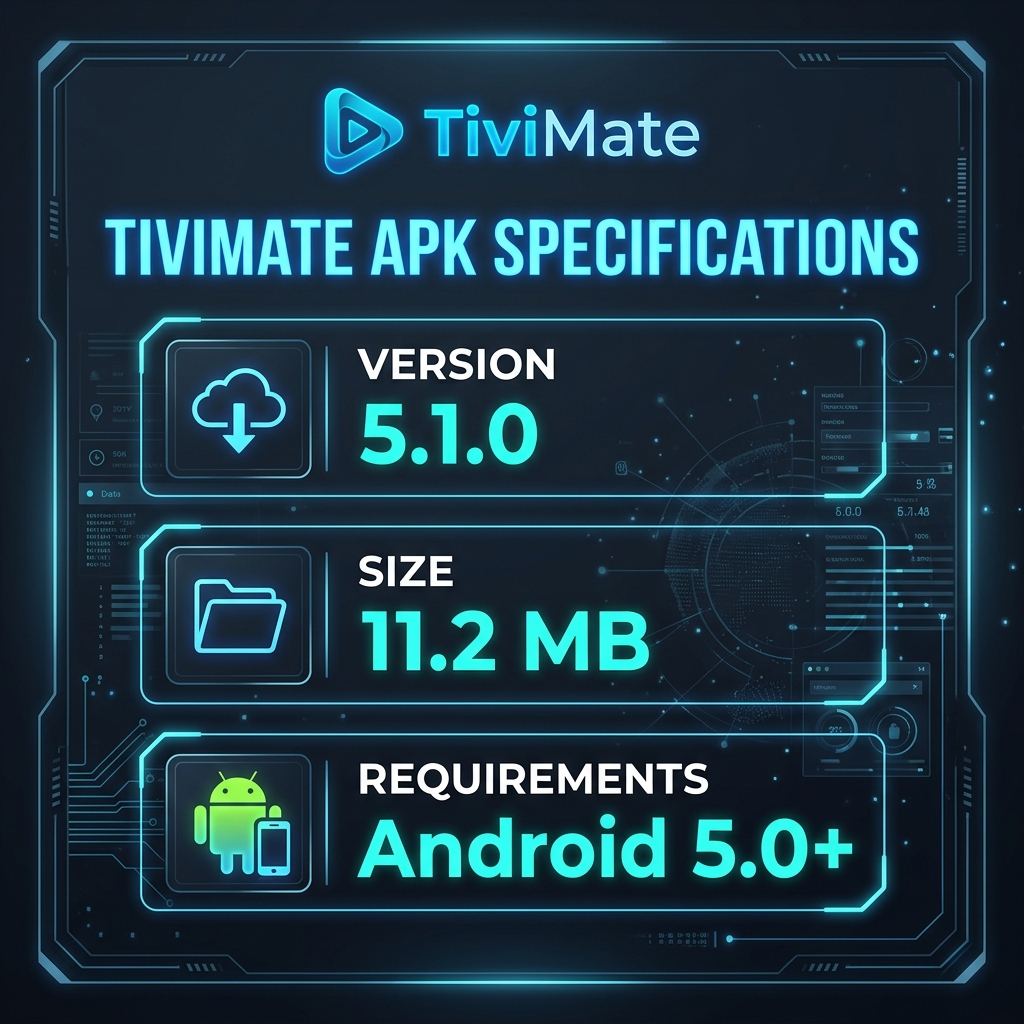
Aktuelle Version, Dateigröße und Aktualisierungsdetails
Was ist die TiviMate-APK?
An APK (Android Package Kit) is the installation file format used to manually install apps on Android-based devices, including Android TV, Google TV, and FireStick — all of which run on Android under the hood. Normally, apps are installed automatically through an app store like Google Play, but the APK file lets you install an app directly, without going through a store listing.
Warum Nutzer die TiviMate-APK statt Google Play installieren:
- TiviMate ist nicht in jeder Region im Play Store verfügbar.
- Einige Geräte, darunter die meisten Fire-TV-Stick-Modelle, verwenden überhaupt nicht den Google Play Store, sondern den Amazon Appstore. Da TiviMate auch dort nicht gelistet ist, ist die manuelle Installation der APK die übliche Methode.
- Manche Nutzer verwalten Aktualisierungen lieber manuell, statt sich auf automatische Store-Updates zu verlassen.
When APK installation is appropriate:
Sideloading the APK is appropriate whenever the Play Store version isn't available or isn't the right fit for your device — most notably on FireStick, and on some Android TV boxes or smart TVs where regional Play Store restrictions apply.
Funktionen der TiviMate-APK
Die Basisversion der APK bietet bereits eine Reihe nützlicher Player-Funktionen:
| Funktion | Enthalten |
|---|---|
| IPTV-Player | ✅ Ja (Grundfunktion) |
| M3U-Playlist-Unterstützung | ✅ Ja |
| Xtream-Codes-API-Unterstützung | ✅ Ja |
| XMLTV-EPG-Unterstützung | ✅ Ja |
| Favorites & Suchen | ✅ Ja |
| TV-Guide-Ansicht | ✅ Ja |
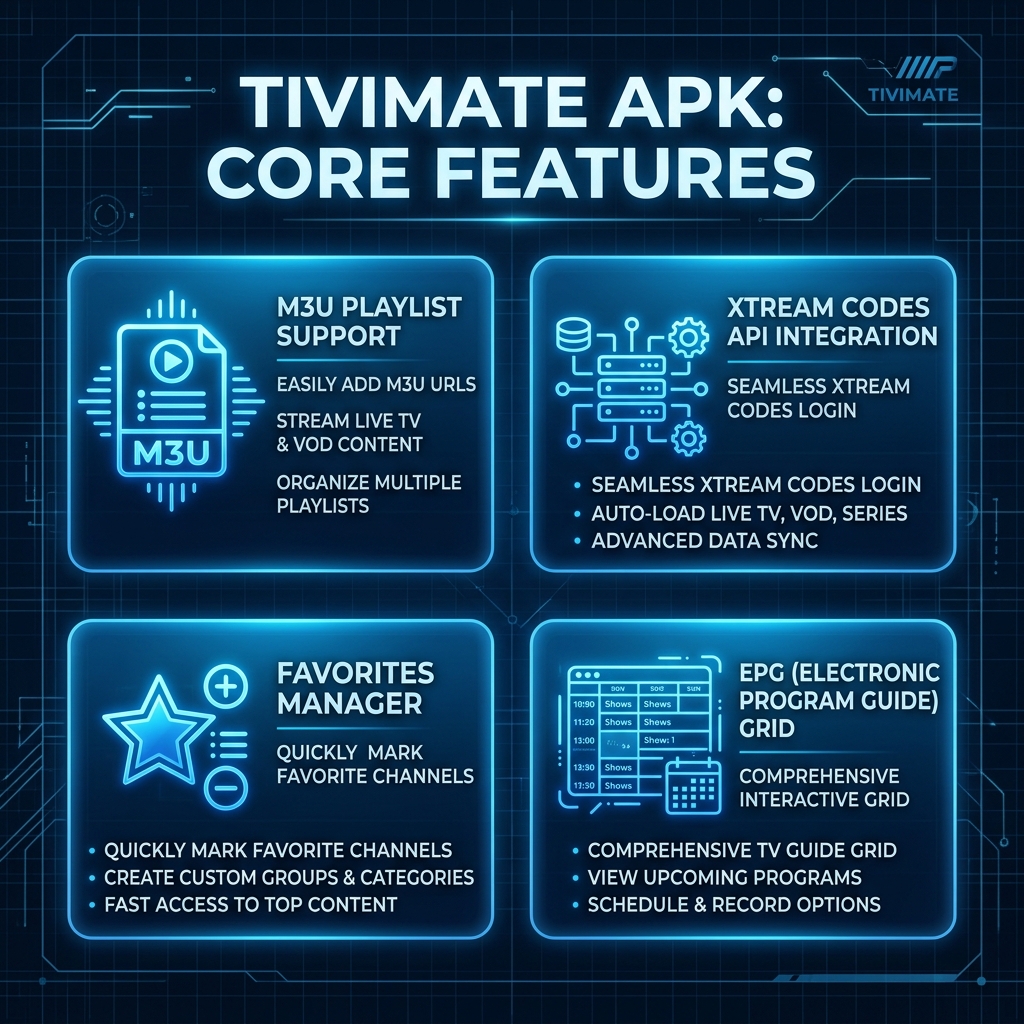
Grundfunktionen der TiviMate-APK
Unterstützte Geräte
Die TiviMate-APK ist mit vielen Media-Streaming-Geräten kompatibel, auf denen Android TV OS 7.0 oder höher läuft:
| Gerät | APK-kompatibel |
|---|---|
| Amazon Fire TV Stick | ✅ Ja (manuelle Installation erforderlich) |
| Android TV (betriebssystembasiert) | ✅ Ja (bei Play-Store-Einschränkungen) |
| Google TV / Chromecast | ✅ Ja (voll kompatibel) |
| NVIDIA Shield TV | ✅ Ja (hohe Leistung) |
| Gängige Android-Boxen | ✅ Ja (Android TV 7.0+) |
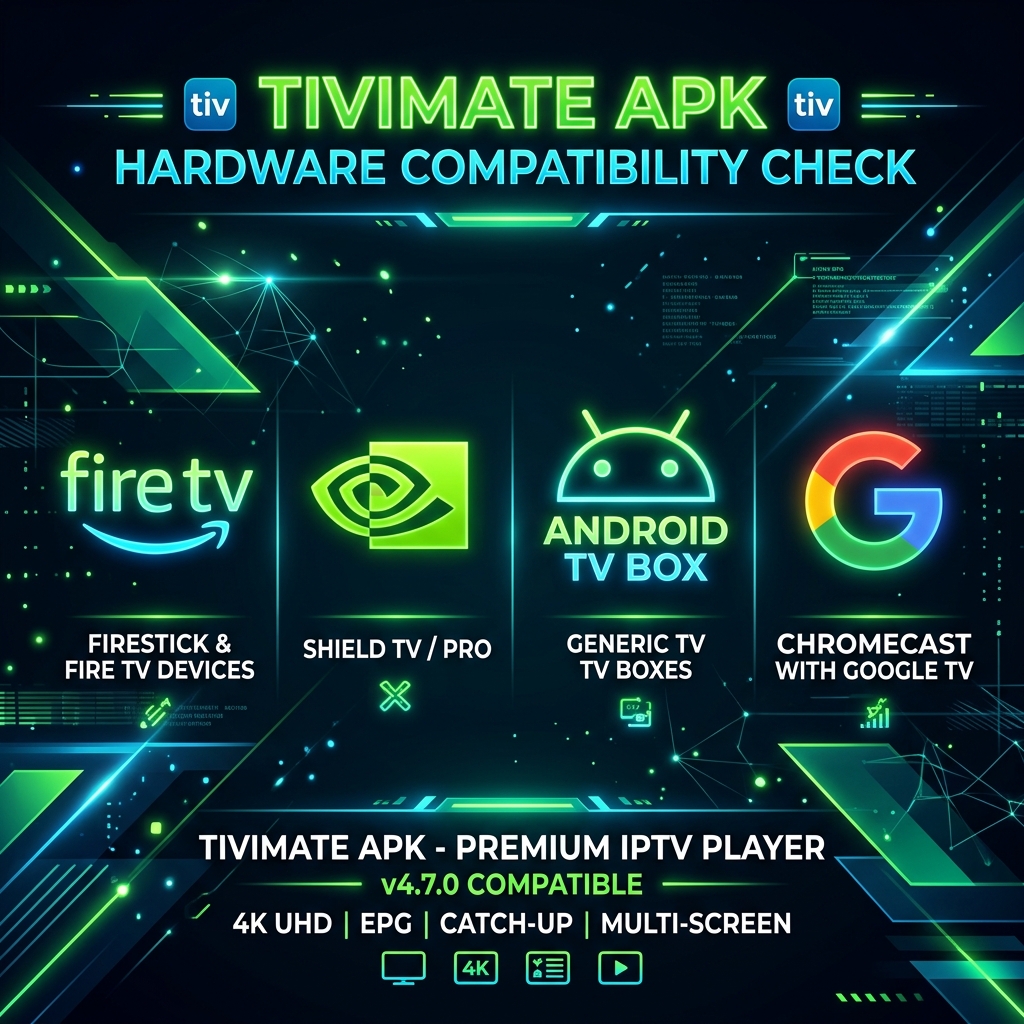
Unterstützte Geräte für die TiviMate-APK
TiviMate-APK installieren
At a high level, installing the TiviMate APK involves enabling Unknown Sources on your device for the Downloader app, downloading the official file, and launching the installer. For full step-by-step walkthroughs with screen captures, choose your device guide:
- • TiviMate auf dem Fire TV Stick installieren
- • Streaming-Einrichtung für Android TV
- • Chromecast mit Google TV einrichten
- • Shield TV Pro konfigurieren
- • TiviMate mit einem Windows-PC-Emulator
- • TiviMate-Alternative für Roku
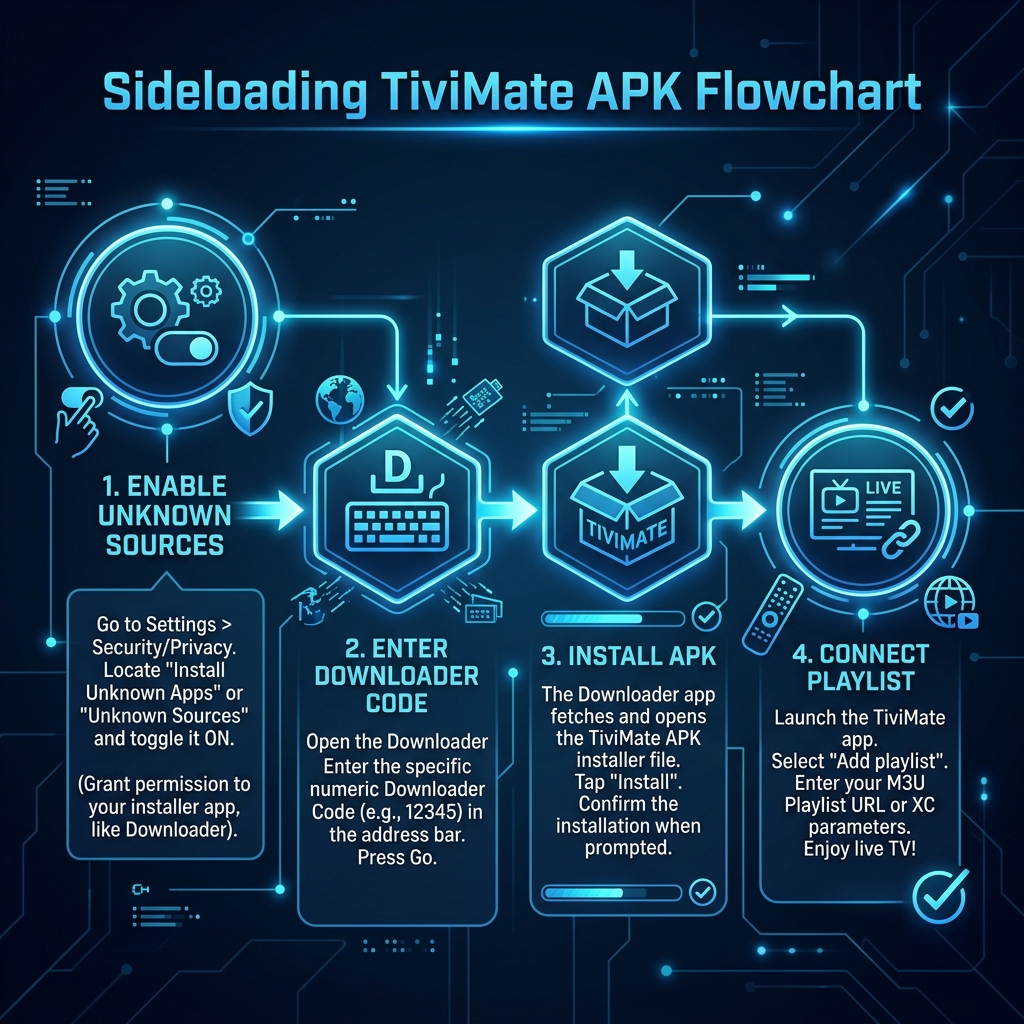
Überblick über die manuelle Installation
TiviMate-APK oder Google-Play-Version
Die App-Funktionen unterscheiden sich bei den beiden Installationsarten nicht. Unterschiede gibt es jedoch bei der Verwaltung:
| Kriterium | APK-Installation | Google-Play-Version |
|---|---|---|
| Installation | Manuelle Installation über Downloader | Automatisch über den Google Play Store |
| Updates | Manuell (neue APK muss erneut installiert werden) | Automatisch im Hintergrund |
| Geräteunterstützung | Alle Geräte (einschließlich Fire TV Stick) | Nur zertifizierte Android-TV-Geräte |
| Verfügbarkeit | Weltweit | Regionale Einschränkungen möglich |
TiviMate Free oder Premium
Mit dem Herunterladen und Installieren der APK erhalten Sie die Basisversion des Players. Erweiterte Funktionen werden durch die Aktivierung innerhalb der App freigeschaltet:
| Funktion | Kostenlose Version | Premium-Version |
|---|---|---|
| Playlists | 1 Playlist | Unbegrenzte Playlists |
| DVR-Aufnahme | ❌ Nein | ✅ Ja |
| Multi-View | ❌ Nein | ✅ Ja |
| EPG-Zuordnung | Basis | Erweiterte Anpassung |
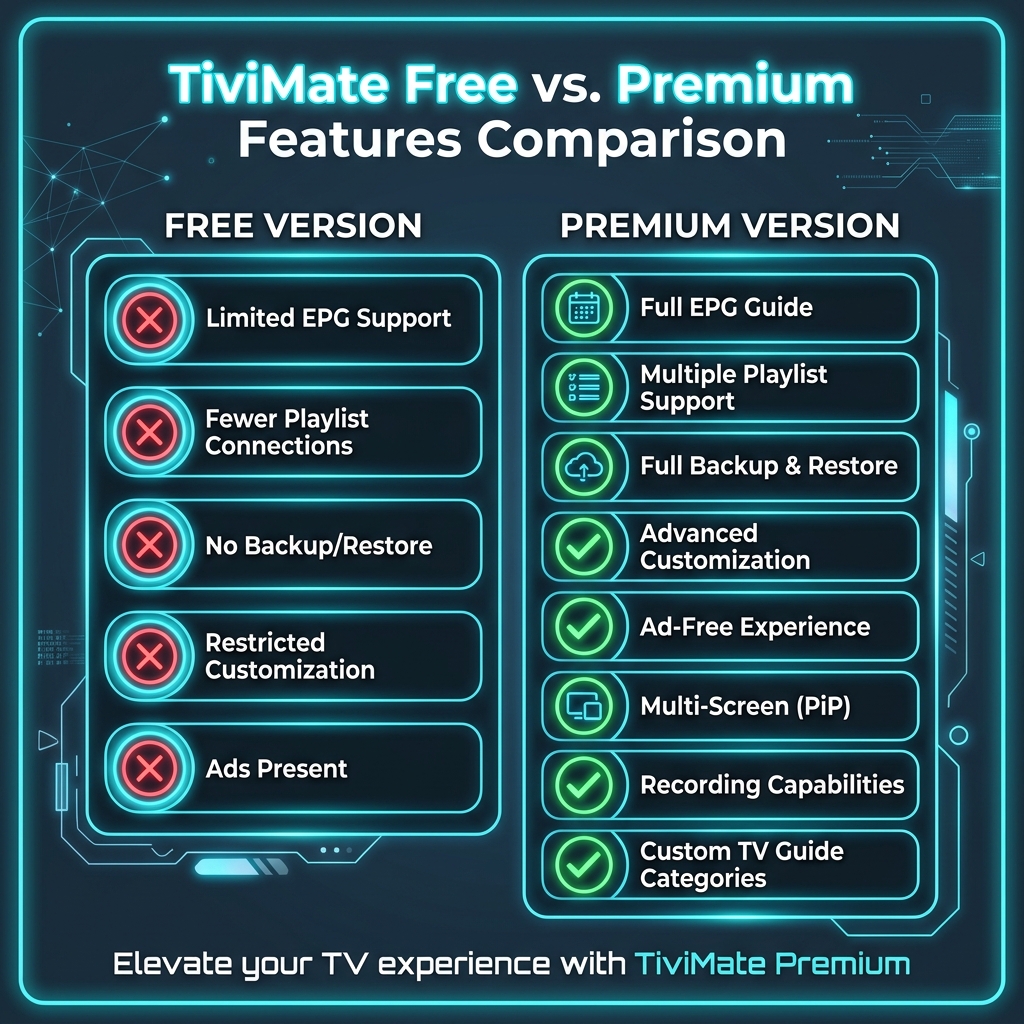
Funktionsunterschiede zwischen Free und Premium
Ist die TiviMate-APK sicher?
Ja, die TiviMate-APK ist sicher, sofern sie aus offiziellen Entwicklerquellen stammt. Da bei einer manuellen Installation die Prüfungen von Google Play umgangen werden, sollten Sie Folgendes beachten:
- Avoid modified APKs: Stay completely away from "TiviMate Premium Cracked APKs" or "MOD APKs". These modified packages often bundle malicious adware or remote tracking code.
- Verify source hashes: Ensure your source provides unmodified developer hashes.
- Secure connection: Sideload only on private home connections to prevent network interception.
Häufig gestellte Fragen
Benötigen Sie Hilfe bei der Einrichtung?
Wenn Sie Hilfe bei der manuellen Installation der APK, beim Einrichten Ihrer IPTV-Playlist oder bei der Behebung von Wiedergabeproblemen benötigen, wenden Sie sich an unser Live-Support-Team. Wir begleiten Sie Schritt für Schritt.
Live-Einrichtungssupport kontaktieren